Free iPhone & iPad app
Every handle you have. One swipe to share.
Profile Bud keeps all your social media links in one place — Instagram, TikTok, X, LinkedIn, YouTube and more. When someone asks for your handle, swipe right and the profile link is on your clipboard. No hunting through five apps. No public link-in-bio page.
Free download · ★ 5.0 on the App Store · 14.5 MB
Business ▼
Download Profile Bud free for iPhone & iPad
Add your handles once. Share them forever. Free on the App Store, 14.5 MB, works offline — your links never leave your device.
Screenshots
One app for all your social media handles
Everything Profile Bud does, straight from the App Store listing.
How it works
Set up once, share in seconds
Add your handles
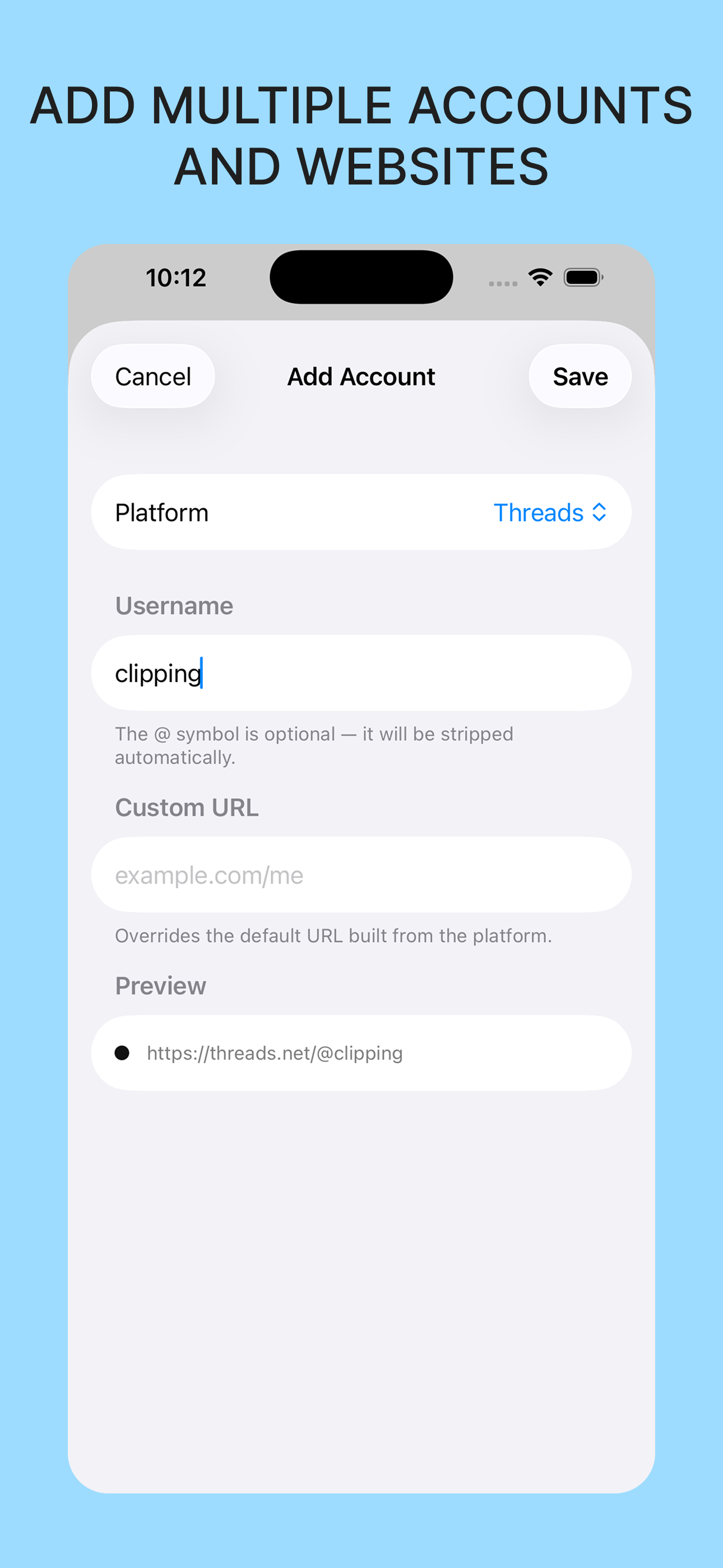
Pick a platform — Instagram, TikTok, X, LinkedIn, YouTube, Threads, Bluesky, Mastodon, GitHub, Facebook — type your username, and Profile Bud builds the profile link for you. Add any custom website too.
Organize into profiles
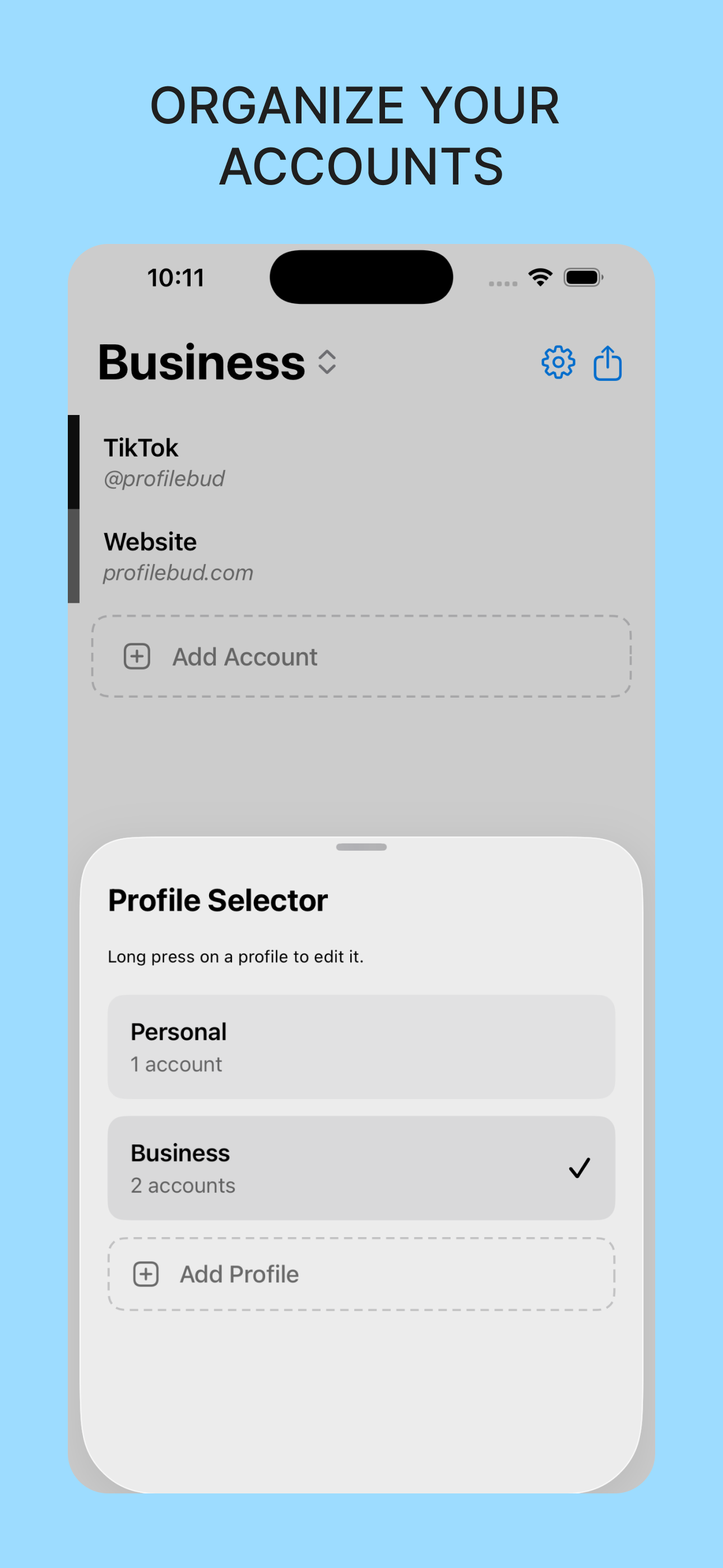
Group accounts into profiles like Personal and Business. Switch with a tap, so your side project never leaks into a client conversation.
Swipe to share
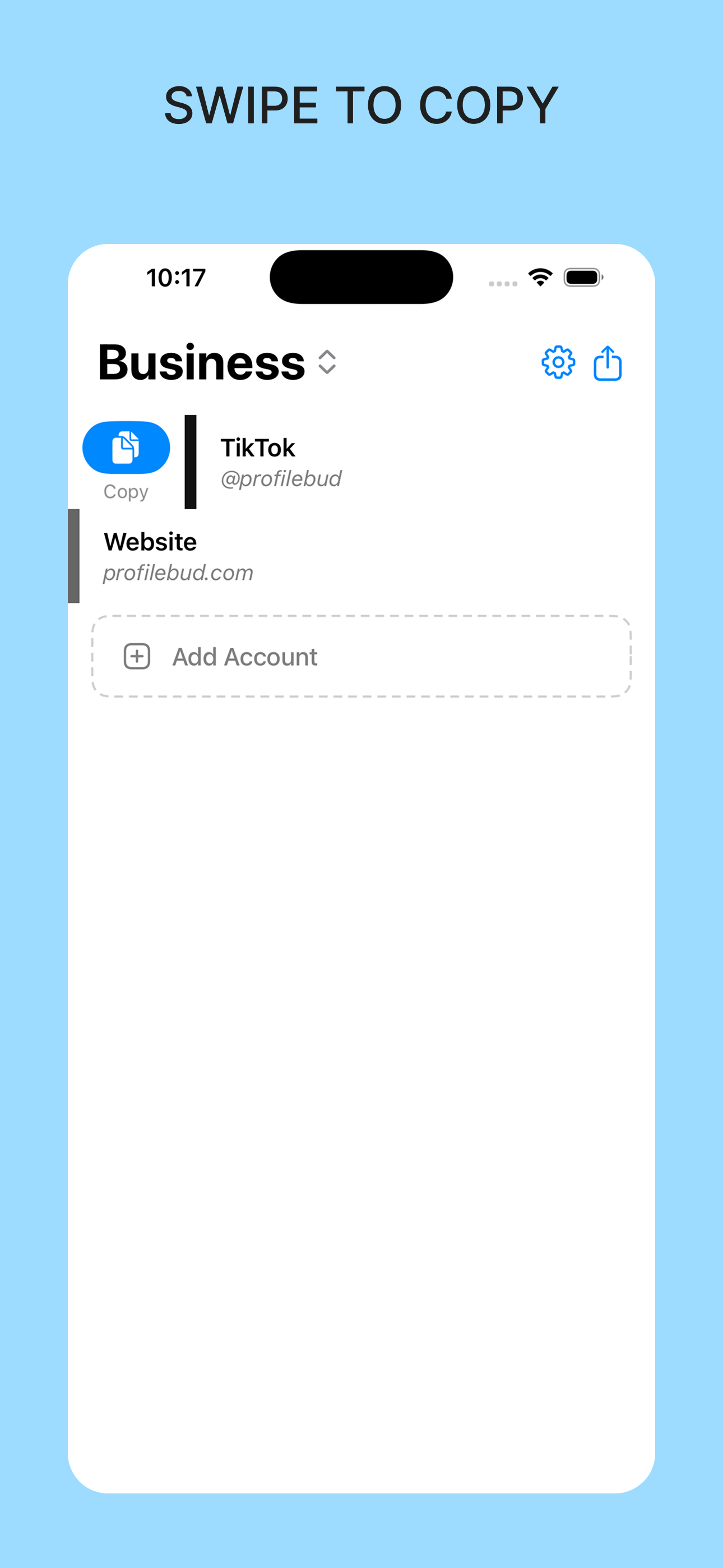
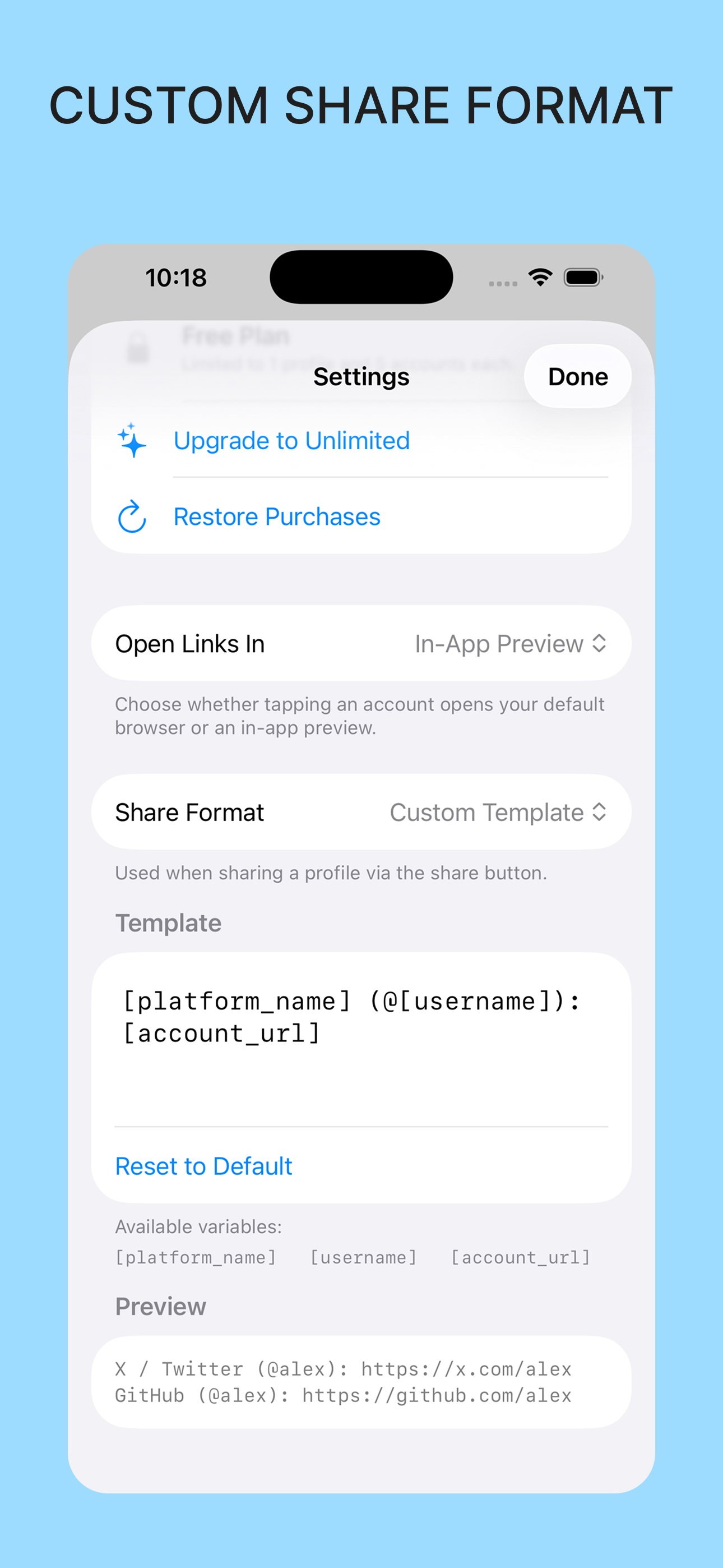
Swipe right on any account to copy its link. Or share your entire list at once — plain text, Markdown, JSON, or your own template with [platform_name], [username], and [account_url].
Guides
Find, copy & share any profile link
Step-by-step answers to the questions everyone asks about profile links — and how Profile Bud makes each one a one-time job.
How to share all your social media links at once
Send every handle in one message — no link-in-bio page required.
Read the guide → InstagramHow to copy your Instagram profile link
Three ways to grab your Instagram URL — and one way to never look for it again.
Read the guide → TikTokWhat is my TikTok URL? How to find it
Find and copy your TikTok profile link on iPhone or desktop.
Read the guide → X / TwitterHow to share your X (Twitter) profile link
Get your x.com profile URL and share it anywhere in seconds.
Read the guide → LinkedInHow to get your LinkedIn profile URL
Find, customize, and share your LinkedIn link for résumés and networking.
Read the guide → CompareA private Linktree alternative — no public page
Share your links without publishing them on a hosted bio site.
Read the guide → OrganizeHow to organize multiple social media accounts
Keep personal, business, and side-project handles cleanly separated.
Read the guide → NetworkingA digital business card for your social handles
Share who you are everywhere online in one paste at your next event.
Read the guide → BlueskyHow to find your Bluesky profile link
Copy your bsky.app URL — handles, custom domains, and sharing.
Read the guide → GitHubHow to share your GitHub profile link
Your github.com URL, plus a Markdown export trick for READMEs.
Read the guide →FAQ
Frequently asked questions
How do I share all my social media links at once?
Add each handle to Profile Bud once, then use the share button to send your entire list of profile links in one message — as plain text, Markdown, or JSON. No link-in-bio page or website required.
Learn more →Is Profile Bud a Linktree alternative?
Yes — for people who don't want a public page. Linktree publishes your links on a hosted website anyone can browse; Profile Bud keeps them private on your iPhone and lets you copy or share any profile link with a swipe.
Learn more →How do I copy my Instagram profile link?
In Instagram: open your profile, tap Share profile, then Copy link. Or save your handle in Profile Bud once and swipe right to copy instagram.com/yourusername any time — without opening Instagram at all.
What is my TikTok URL?
Your TikTok URL is tiktok.com/@yourusername. You can copy it from the TikTok app via Share profile, or keep it in Profile Bud and copy it with one swipe whenever someone asks.
Can I keep personal and business social media accounts separate?
Yes. Profile Bud organizes accounts into profiles — like Personal and Business — so you can switch context instantly and only share the handles that belong together.
Learn more →How do I get my LinkedIn profile URL?
On LinkedIn, open your profile and copy the linkedin.com/in/yourname address, or use Share profile in the app. Save it to Profile Bud once and it's one swipe away at your next networking event.
Can I export my links as plain text, Markdown, or JSON?
Yes. Profile Bud shares your entire list of accounts in plain text, Markdown, or JSON — or a custom template you define with [platform_name], [username], and [account_url] variables.
Is Profile Bud free?
Profile Bud is free to download on iPhone and iPad, with an optional Upgrade to Unlimited in-app purchase for unlimited accounts and profiles.
Get it on the App Store →
The next time someone asks for your handle,
you'll be ready.
Free on the App Store. Your links stay on your device.